Media management with AdmiralCloud

Digital Asset Management

Managing media means more than storing files. AdmiralCloud supports images, videos, audio files and documents throughout their lifecycle: from upload through selection and delivery to reuse or archiving.

What is Digital Asset Management (DAM)?

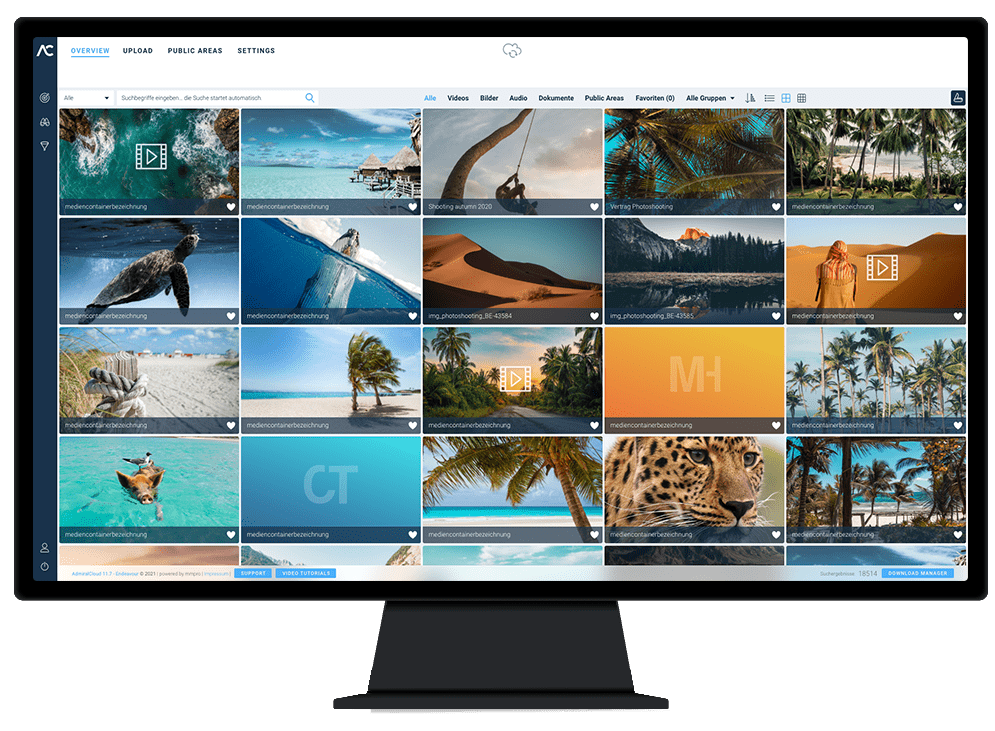
A Digital Asset Management is a software that can be used to store and manage digital assets such as images, movies, audio files or documents. Among other things, a DAM system enables organizing, finding, editing, and publishing various media files from a central platform. This creates individual and consistent brand experiences with efficient workflows, clear roles and rights, and a clear storage of your digital media. More about the features of AdmiralCloud.

Media management with AdmiralCloud

One asset. More than one use.

The media lifecycle runs from the first upload through selection and delivery to reuse or archiving. A DAM connects these tasks through a shared media collection, traceable versions and the information your team needs to use each asset.

Rights matter throughout the lifecycle. Check usage conditions when selecting media and again before making it available to others.

Build your media collection

Turn files into material your team can use.

Collect and organize

Bring images, videos, audio files and documents into a shared collection. Upload files using drag and drop, or use upload links to receive media from external contributors.

Folders, tags and metadata help associate media with a project or topic. Organization starts before anyone needs to search for the files.

Enrich, edit and manage versions

Add information such as the project name, image description and usage rights. Custom metadata fields and hierarchical tags reflect the structure your team needs.

For further use, you can adjust image crops and dimensions, for example. New versions can be stored with the existing asset, keeping changes and earlier versions traceable.
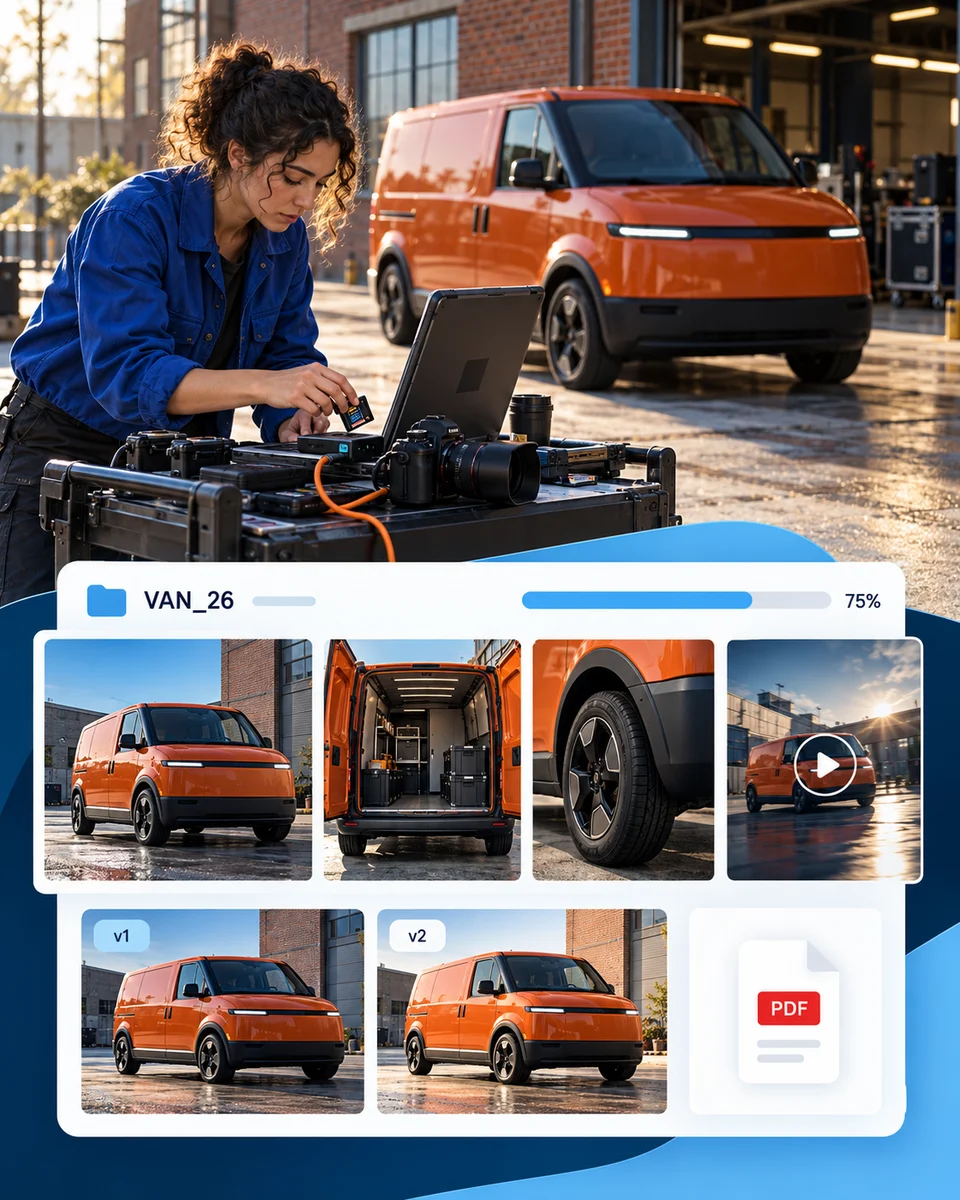
Photographer uploading vehicle images on location, with project context and two edited versions alongside the series.
From the shoot to the library, with project context and traceable versions.

Example: a campaignA new photo series arrives in the DAM. The campaign name and usage information provide context; revised images are added as new versions.

Put media to use

The right selection. In the right place.

Find and select with purpose

Search and filter your collection using descriptions, tags and other metadata. Select the media needed for a particular occasion, audience or publication.

Choosing the right media means checking the version and usage conditions as well as the content itself. Recipients need a relevant selection, not necessarily access to the whole collection.

Deliver media for its intended use

Share a media selection by link or make content available through a media library. Output formats help prepare images and other media for their intended use, with the original remaining the starting point.

A link for recipients, a download format and an embedded asset on a website serve different purposes. Choose a delivery method that fits your process and access requirements.

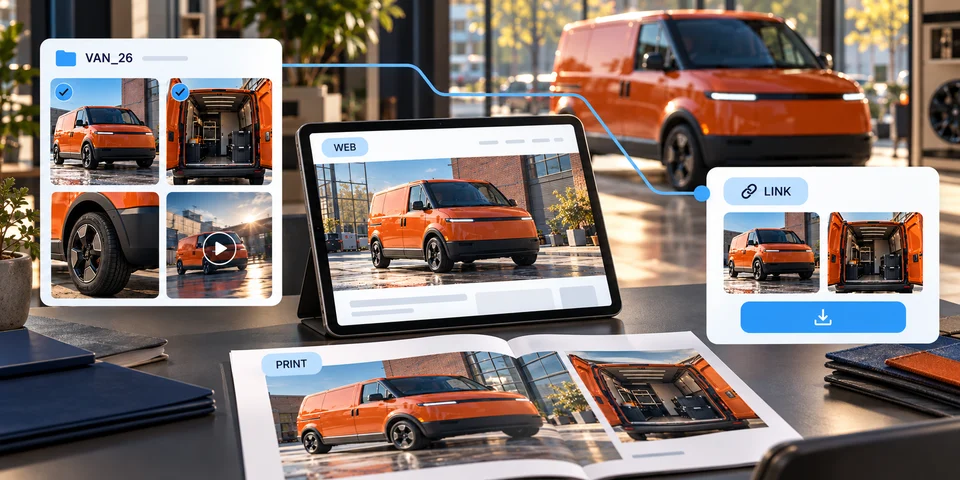
Two selected vehicle images appear in web and print outputs and in a separate download selection.
A focused selection, with different outputs for websites, print and partners.

Example: a campaignFor the campaign launch, you select the images and versions you need. The web team needs different output formats from print production; external partners receive the media selected for them.

Look beyond publication

The lifecycle continues after publication.

Keep track of usage periods

Store license information, usage periods and supporting documents with the asset. Your team can check the applicable conditions when considering it for a later use.

When a license expires, decide how to proceed: extend the rights, choose different media or stop using the asset. License expiry, restrictions on use and archiving are distinct processes.

Reuse or archive

Not every new project needs newly created media. Check existing content for relevance and suitable usage rights before adding it to your next selection.

The way media is archived in AdmiralCloud can be configured during setup to suit your workflow. Archiving is therefore part of your configured media process, rather than a universal consequence of a license expiring.

Communications specialist reviewing an automotive campaign image and license document for possible reuse.
Check relevance and usage conditions before reuse, and keep campaigns organized.

Example: a campaignAfter a campaign, review which images are still needed and how long they may be used. Archiving follows the process agreed during setup.

Metadata Management

What are Digital Assets?

The English term “asset” means something like property or asset value. If media files have information that has a certain value for a company, they become digital assets. Digital assets are, for example:

  • Images
  • Videos
  • Audio files
  • Documents
  • etc.

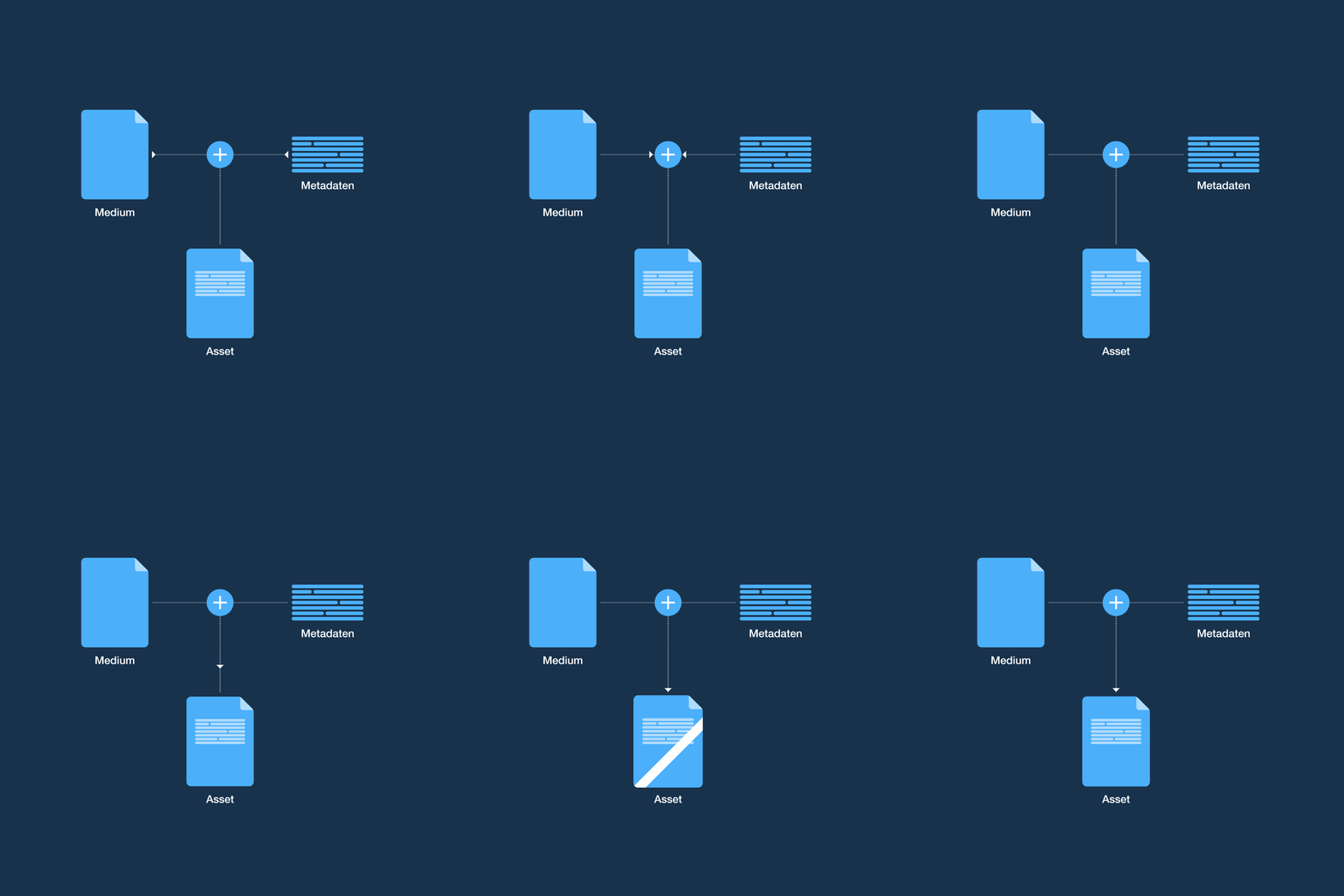
A DAM system enables the assignment and management of such valuable information to internal corporate media files. In the form of so-called metadata, for example, usage rights, licenses and many other properties can be determined for files such as images and videos. This process is additionally supported by a DAM system through color, text and language recognition as well as automatic keywording.

Cloud-based DAM solutions

What DAM Systems Are There?

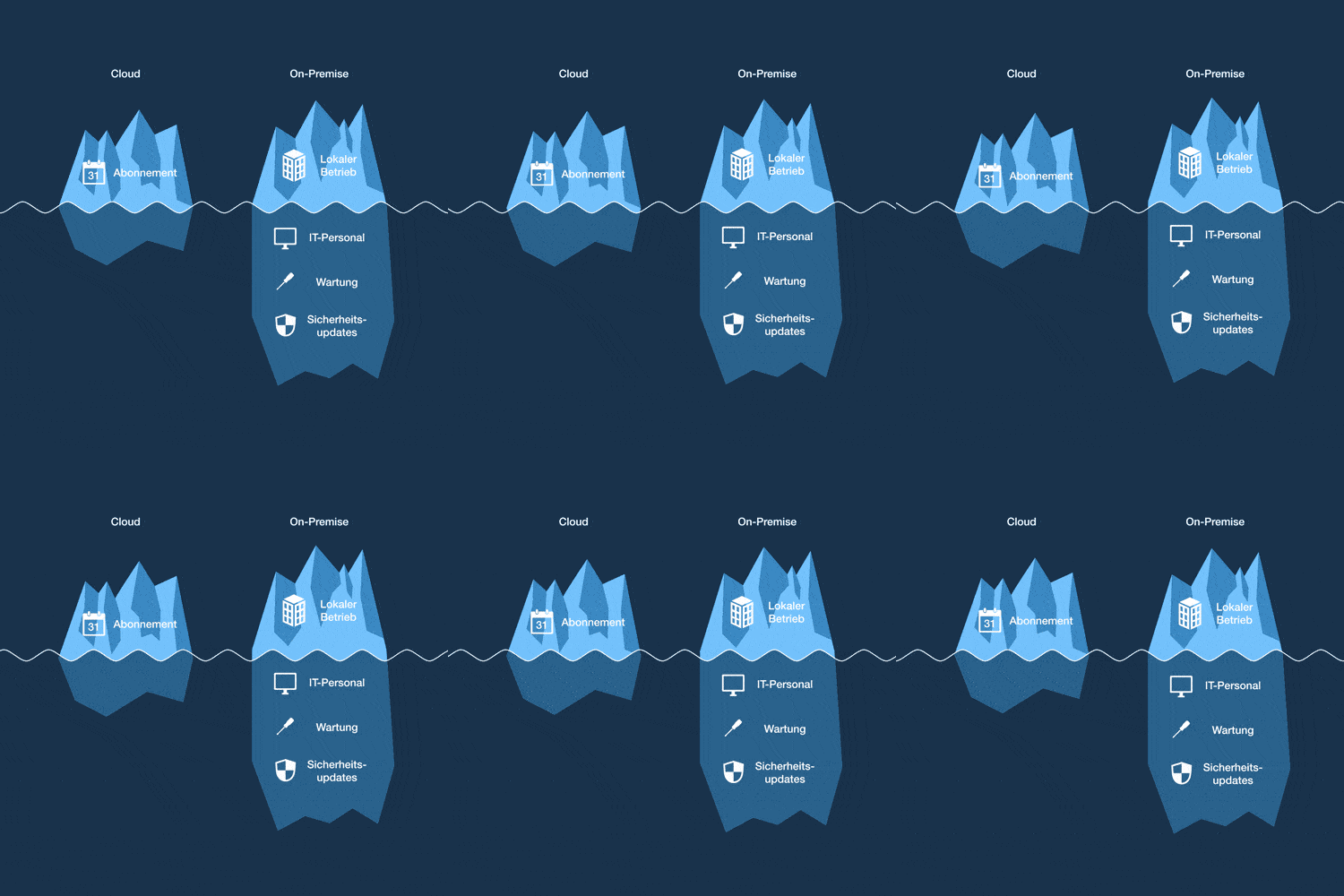
In general, a distinction can be made between cloud-based and on-premise DAM solutions. With on-premise DAM, a license is purchased and installed on the company’s own server. The operation of the server, the data backup, the creation of backups and the updating of the software are the responsibility of the user and thus of the company. With a cloud-based DAM system, on the other hand, the cloud provider takes over these tasks.

Benefits of Digital Asset Management for Business

The advantages of a DAM system can be manifold if used correctly. For example, a DAM simplifies workflows from day one and reduces organizational effort. The automatic indexing of digital assets optimizes their management and finding.

Organize

Organize

  • Overview of all media
  • Simplification of workflows
  • Efficient workflows
  • Rights and license management
  • User management
Find

Find

  • Metadata maintenance
  • Automatic keywording
  • Time savings
  • Intuitive operation
Edit

Edit

  • Cropping functions
  • Format conversions
  • Batch processing
  • Editing functions
  • Chapter and subtitle functions
Publish

Publish

  • Create content folders
  • Creating media libraries
  • Campaign templates
  • Convenient contact management

Digital Asset Management In Practice | Best Practices

Efficient Workflows

Communication and digital agencies thrive on the creativity of their employees. By creating a uniform media archive, a DAM saves time and supports companies in simplifying and optimizing workflows. At the same time, license management guarantees legal and brand security. Coordination with customers becomes easier than before.

Learn more about agency solutions
Agency Workflow

The redlich family uses AdmiralCloud to optimize internal media workflows.

Overview & Clear Rights of Use

For large companies like the TK, a consistent brand presence is invaluable. A wide variety of media files are managed, edited and published on a daily basis. To avoid data chaos and maintain an overview, it makes sense to centralize media files in a DAM system and define individual user groups.

TK | ENTERPRISE DAM SOLUTION

Enterprise Rights

Die Techniker controls the use of its images among 14,000 employees.

Video Management

Many companies are increasingly relying on moving images in their communications. A DAM system answers questions of production, organization, and security through central storage, various organization and editing options, and a dedicated video player.

MAHLE | ENTERPRISE DAM SOLUTION

Video Management

Mahle uses AdmiralCloud for internal and external image and video playout.

Customers who trust in ADMIRALCLOUD

Conclusion

A digital asset management system is a versatile solution for handling digital media. DAM systems of this type are used across all industries to work quickly, effectively and productively with images, videos, audio files and documents in one’s own company.

The integration into one’s own system landscape is simple and location-independent due to the browser-based interfaces. In the course of digitization, a DAM is therefore an indispensable archiving, editing and workflow tool.

Conclusion Visual

Artificial Intelligence is Revolutionizing Digital Asset Management

IT Security

Uncategorized

The Five Pillars of Security

In today's digital world, where data is a valuable resource, ensuring the security of information is crucial...

read more
Data Chaos

Uncategorized

From Data Chaos to Digital Success

In today's digital world, where companies increasingly rely on data to steer their business processes...

read more
Secure DAM

Uncategorized

The Safe Choice: Success Factors

In today's digitized world, efficient and secure Digital Asset Management (DAM) is essential for businesses...

read more

Frequently Asked Questions

What challenges do digital asset management systems pose?

Cloud-based DAM systems can be implemented at different depths in the existing infrastructure. In principle, they are ready-to-go solutions. Users are created, roles and rights are assigned, content is uploaded and published, e.g. in media libraries, collections or directly integrated into websites and intranets.

What costs should I expect?

The costs usually depend on the number of users, the range of functions, the data volume for storage and traffic, and the number of assets. With cloud-based systems, the provider bears the update costs. This is the great advantage of a SaaS solution.

What makes an enterprise DAM solution stand out?

Enterprise versions usually offer a complete range of functions right from the start, as well as solutions for individual use, e.g. as a complete portal solution. Another focus is on the integration of the DAM into the company’s own system landscape.

How do I choose the right system for my business?

The differences are quite extensive and relevant. Scopes of services can differ greatly in sub-disciplines like keyword handling, tag management, and the use of artificial intelligence.

Does a DAM help avoid legal warnings?

Modern DAM systems today have sophisticated license and rights management. A digital asset management system always keeps an eye on these parameters and notifies the relevant users in the event of expiring rights.

What mistakes can I make when choosing a DAM system?

It is essential to pay attention to multilingualism and performance features like endless scrolling. Trusting a provider that promises unlimited contingents carries its own risks.

When does it make sense to use a digital asset management solution?

When you work with images, videos, audio files and documents in the company, the need increases quickly. A well-structured DAM helps you work regardless of location.

What are the hardware requirements?

If you opt for a cloud-based software-as-a-service solution, none. These systems work browser-based and can be accessed anywhere.

In which industries is the use of a DAM system suitable?

Since almost all industries work with digital media these days, the use of digital asset management systems is also interesting for all industries – from museums to government institutions.

Why is AdmiralCloud one of the best solutions on the market?

AdmiralCloud is a platform with a state-of-the-art and high-performance system architecture that always follows a generic and thus scalable approach.

Do you want to save your company precious time and resources?

We’ll show you how you can simplify and streamline the management and distribution of digital media with AdmiralCloud.