CORE
Archiving, structure & access
275 € / month
For your media library
- Search and filter media
- AI tagging and text recognition
- Permissions and license management
- 500 GB storage
Compare our DAM packages, from a central media archive to an integrated platform for your teams.
Archiving, structure & access
275 € / month
For your media library
Workflows, projects & collaboration
579 € / month
CORE plus:
Integration, automation & distribution
975 € / month
COMMUNICATE plus:
Enterprise & custom requirements
On request
For your enterprise project
Evaluate for yourself
Take the information with you. Use your own AI to explore what fits your workflow — and what still needs clarification.
Information + review instructions. For the AI of your choice.
External services. These links pass only review instructions and a public source URL, not the Markdown document or personal information. Without a dialog, they open the service directly in a new tab.
AdmiralCloud · Package overview
Supplier information, not a product test.
For your evaluation
Your starting point
Which media task should become easier first?
Existing package summaries with sources and questions to clarify. An overview, not a binding quote or a complete entitlement matrix.
You can also select this text and copy it manually. Do not add confidential information before checking your organization’s rules for the AI service you intend to use.
For orientation, not a substitute for a product test. Missing information remains an open question — not an automatically confirmed capability.
Scroll the tables sideways to see all packages.
| Area / Feature | CORE | COMMUNICATE | CONNECT | CUSTOM |
|---|---|---|---|---|
| Platform basics | ||||
| Content Delivery Network | ● | ● | ● | ● |
| Security & architecture | ● | ● | ● | ● |
| System & operational stability | ● | ● | ● | ● |
| Area / Feature | Core | Communicate | Connect | Custom |
|---|---|---|---|---|
| Upload & analysis | ||||
| Upload & import | ● | ● | ● | ● |
| Duplicate detection | ● | ● | ● | ● |
| Overview & structure | ||||
| Media & project overview | ● | ● | ● | ● |
| Search & filtering functions | ● | ● | ● | ● |
| Metadata management | ||||
| Metadata | ● | ● | ● | ● |
| Quality Gate (required field validation) | ● | ● | ● | ● |
| Tagsonomy (hierarchical tags) | ● | ● | ● | ● |
| License management | ● | ● | ● | ● |
| Contact management | ● | ● | ● | ● |
| AdmiralTree for structured organization | – | – | ○ | ● |
| Area / Feature | Core | Communicate | Connect | Custom |
|---|---|---|---|---|
| Media editing | ||||
| Image editing & media preview | ● | ● | ● | ● |
| Video editing & subtitles | – | ● | ● | ● |
| Media delivery | ||||
| Web links & collections | ● | ● | ● | ● |
| AC Sync (cloud folder sync) | ● | ● | ● | ● |
| Versioning & traceability | ● | ● | ● | ● |
| MediaPort (drag-and-drop connector) | ● | ● | ● | ● |
| MediaHub | ||||
| MediaHub (open) | 1 | 3 | 10 | ● |
| MediaHub (secured / token) | – | 2 | 5 | ● |
| Self-registration module | – | ○ | ○ | ● |
| Watermarks for media | – | ● | ● | ● |
| Area / Feature | Core | Communicate | Connect | Custom |
|---|---|---|---|---|
| AI suite | ||||
| Chatbot assistance | ● | ● | ● | ● |
| Color analysis | ● | ● | ● | ● |
| Facial recognition | ● | ● | ● | ● |
| Object recognition | ● | ● | ● | ● |
| OCR (text recognition) | ● | ● | ● | ● |
| Image captions | ● | ● | ● | ● |
| AI-powered asset search | – | ● | ● | ● |
| Automatic translations | – | ● | ● | ● |
| Video subtitles | – | ● | ● | ● |
| Video transcriptions | – | ● | ● | ● |
| Reverse image search | ● | ● | ● | ● |
| Image cropping service | – | ○ | ○ | ● |
| Workflows & integrations | ||||
| Asset & project workflows | – | ● | ● | ● |
| CI HUB Connector | – | ● | ● | ● |
| ConnectClient TYPO3 | – | ○ | ● | ● |
| ConnectClient for additional CMS platforms | – | ○ | ○ | ● |
| SmartCropping service (on the fly) | ● | ● | ● | ● |
| Adobe Stock / Getty Images connector | – | ○ | ○ | ● |
| Area / Feature | Core | Communicate | Connect | Custom |
|---|---|---|---|---|
| Platform operations | ||||
| Reporting & usage transparency | ● | ● | ● | ● |
| Headless DAM (API access) | – | ○ | ● | ● |
| Custom hosting models | – | – | – | ● |
| Multi-tenant capability | – | – | – | ● |
| Integration staging environment | – | – | – | ● |
| Custom domain management | – | – | ○ | ○ |
| Individual service-level agreement (SLA) | – | – | – | ○ |
| Security & identity management | ||||
| Multi-factor authentication (MFA) | ● | ● | ● | ● |
| Passkeys | ● | ● | ● | ● |
| Rights & role management | ● | ● | ● | ● |
| Single-Sign-On (SSO) | ○ | ○ | ○ | ● |
| Advanced identity & access management (IAM) | – | – | ○ | ● |
| Area / Feature | Core | Communicate | Connect | Custom |
|---|---|---|---|---|
| Training & support | ||||
| Basic training | Basic | Team | Process | Custom |
| Standard support | ● | ● | ● | ● |
| Premium support | – | ○ | ○ | ● |
| Storage, traffic & users | ||||
| Storage in GB | 500 | 750 | 1000 | Custom |
| Traffic in GB per license year | 1200 | 3000 | 5000 | Custom |
| Read-only users | 5 | 10 | 20 | Custom |
| Users | 4 | 8 | 14 | Custom |
| Of which are creative users | – | 2 | 4 | Custom |
| Admins | 1 | 2 | 2 | Custom |






Manage digital assets securely and find them again at any time.
CORE gives you the foundation: structure, protect and control your media in a high-performance German system, including AI features, permissions control and intelligent search.
| Scattered storage locations | Files are spread across SharePoint, Dropbox, Google Drive, local drives or email, without a central structure. |
| Difficult search | Unclear structures, missing metadata and manual searching waste time and energy. |
| Unsecure access | No clear permissions model and inconsistent security standards across parallel tools. |
| Redundancy & chaos | Duplicate files, wrong versions and outdated assets reduce work quality. |
| Overloaded tools | Many systems are too complex. CORE deliberately focuses on what matters most. |
| Small and medium-sized businesses | An entry into professional media management without needing an in-house IT department. |
| Departments in larger organizations | A unified repository instead of parallel use of SharePoint, drives and local folders. |
| Teams with basic requirements | A focus on order, security and fast retrieval without extra complexity. |
| Educational institutions, associations and NGOs | A cost-efficient solution for secure media management with limited budgets. |
| AI-powered tagging | Automatic keywording for images, videos and documents. |
| Duplicate detection | Detects duplicate files and improves data quality. |
| Smart cropping | Automatic cropping for different formats and channels. |
| Reverse image search | Use an image as a reference to find similar images in your media library. |
| AC Sync | Automatic folder synchronization with AdmiralCloud, reliable and secure. |
| SharePoint & drives | Existing storage systems such as SharePoint, Dropbox, Google Drive and local drives can be connected. |
| Automatic structuring | Folders are converted into tags so content stays clearly organized and easy to find. |
| GDPR-compliant | All data moves into a central, secure media management system that is modern and compliant. |
| MediaPort (drag and drop) | Drag media directly into Microsoft 365, Adobe applications, web tools and AI applications. |
| Web links & collections | Fast and secure sharing without requiring additional system access. |
| MediaHub (open) | An open portal for simple external media delivery. |
| AC Sync | A reliable bridge between file storage and the cloud that keeps data current. |
Collaboration with project workflows for creative processes.
Use approval workflows, work directly from Adobe and Office, and distribute finished content through five media portals (three open and two protected), ideal for fast-moving marketing teams.
| Fragmented communication | Coordination happens across many tools and channels, so information gets lost, duplicated or becomes hard to trace. |
| Unclear processes & workflows | Without clear approvals and standards, everyone works differently, which causes errors and delays. |
| Breaks between media and systems | Editing and publishing jump between applications, with no central overview such as a Kanban board. |
| Weak integration of creative teams | External designers and agencies have no direct workflow access and lose time through detours. |
| Lack of consistency & control | Different versions and insecure approvals put brand consistency, security and efficiency at risk. |
| Marketing & communications | Manage campaigns, channels and budgets centrally, distribute assets and track approvals. |
| Creative departments & designers | Work directly in the workflow through CI HUB, Adobe Creative Cloud, Microsoft 365 and other connected apps. |
| National and international brands | Gain traceable processes across countries and product lines with consistent brand management. |
| Agencies & partners | Integrate them seamlessly through internal and external portals with clear roles and permissions. |
| Organizations with many approvals | Transparent review and approval processes, clear responsibilities and audit readiness. |
| CORE functions | Chatbot assistance, color analysis, face and object recognition, OCR and image captions. |
| AI-powered asset search | Faster results in large libraries through semantic and visual search. |
| Translations & subtitles | Automatic translations and video subtitles/transcriptions for international teams. |
| AI in workflows | Suggestions for categorization and approvals, plus quality checks in the process. |
| SmartCropping & ContentFlow | On-the-fly cropping and a publishing bridge for print and web. |
| AC Sync | Automatic synchronization of folders and drives such as SharePoint, Dropbox and local storage with the DAM. |
| Structures & metadata | Folders are transferred as tags and existing metadata can be retained. |
| Ready to use immediately | Media is centrally searchable right away, with GDPR-compliant storage from day one. |
| Process integration | Connect media to workflows and the Kanban board for a clear view of asset and project status. |
| Training & support | Teams are enabled quickly so they can work without friction. |
| Internal and external portals | MediaHub portals for publishing, distribution and controlled access. |
| Creative users & apps | Connections through CI HUB, Adobe Suite, Microsoft 365 and many other applications. |
| Kanban & workflows | Project and media workflows with a Kanban board for statuses, tasks and deadlines. |
| Review & approval | Transparent review and approval processes with clear traceability and roles. |
| Marketing hub | Central control of campaign assets and delivery for all stakeholders. |
Scale content, manage portals and support e-commerce.
CONNECT integrates AdmiralCloud into your existing systems and lets you crop, publish and distribute media automatically across channels without compromising on security or performance.
| Media silos across departments | Content is split between sales, marketing and production. Without a central platform, gaps and duplicate work emerge. |
| Unclear workflows | Approvals, revisions and publishing happen across many tools. A central Kanban board for visibility is missing. |
| Lack of automation | Many steps such as formatting or translations are manual. CONNECT introduces modern automation. |
| No central place for media | Files live in CMS, PIM, shop and office systems. There is no central point for control and updates. |
| Outdated data & inconsistency | Changes to assets and information do not reach every system, which weakens brand consistency and communication. |
| Marketing & communications | Run campaigns and channels with consistent data, with centralized publishing across all systems. |
| Sales & product management | Current assets are available directly for catalogs, shops and CRM, without media breaks or duplicate maintenance. |
| Creative & agency teams | Collaborate seamlessly through CI HUB, Adobe Creative Cloud, Microsoft 365 and other tools, with direct workflow integration. |
| International brands & organizations | Transparent processes across countries and languages, with consistent brand management in global teams. |
| Partners & external networks | Integrate them through internal and external portals with clear roles, permissions and traceability. |
| All AI functions from CORE | Face recognition, object recognition, OCR, captions, color analysis and chatbot assistance. |
| Advanced search & translations | AI-powered search across all content plus automatic translations into multiple languages. |
| Video analysis | Automatic subtitles and transcriptions for video, supporting global communication and accessibility. |
| SmartCropping | Automatic image cropping for different channels and formats. |
| Migration of existing data | Files, metadata and structures can be migrated from existing systems or repositories. |
| Preparation & structuring | Data is consolidated, duplicates are removed and everything is standardized for use in CONNECT. |
| Secure transfer | Data is transferred in encrypted form and imported according to current security standards. |
| Internal & external portals | Publish media through open and protected MediaHubs, tailored for teams, partners and customers. |
| Seamless integrations | Connect CMS, shop, CRM and many other systems for smooth media distribution. |
| Creative users | Direct access to media in CI HUB, Adobe Creative Cloud, Microsoft 365 and other apps, without breaks. |
| Workflows & Kanban | Visual control of projects and media processes in one central Kanban board. |
The DAM solution that adapts to your organization.
CUSTOM means enterprise flexibility: dedicated hosting models, co-creation, multi-tenant capability and full control down to the last metadata field. The standard SLA applies; an individual SLA can be agreed as an option. Ideal for platform operators and organizations with governance requirements.
For more than 10 years, AdmiralCloud has provided an established DAM solution developed in Germany, fully GDPR-compliant and continuously improved to meet the demands of global markets.
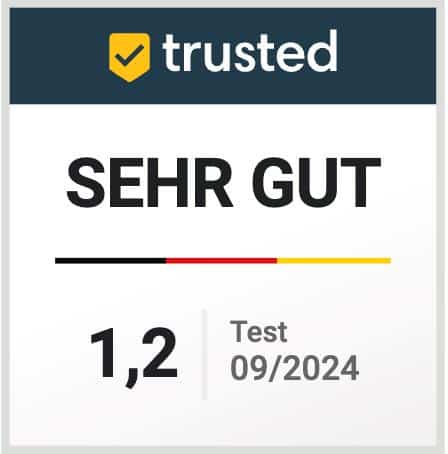
In Trusted Comparison 2025, AdmiralCloud was recognized among 18 leading DAM platforms as Best Digital Asset Management Software, honored for its features, data protection, usability and support quality.
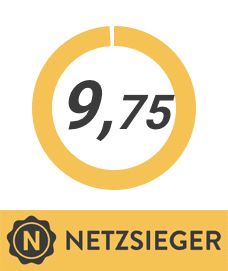
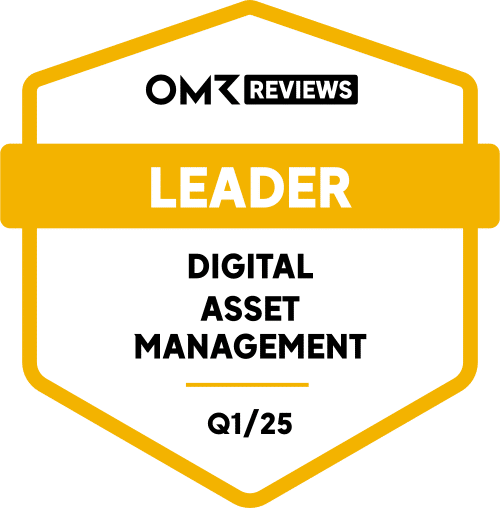
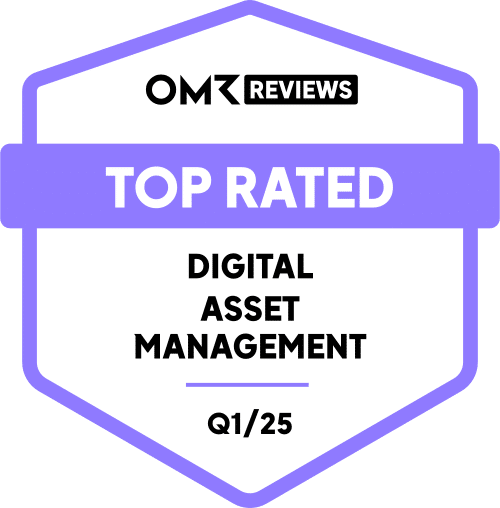
AdmiralCloud regularly receives top ratings on OMR Reviews and Netzsieger, praised for its intuitive interface, strong security standards and high reliability as a professional media management solution.