Your media have
more to say.

Sample collectionCollection · 03 photos
Model and product with sample data
1 Model identified 1 Product identified Photo 01 / 03

Reduced motion is enabled. This example shows the static result.

Find

Find the image you have in mind.

Describe the image you are looking for in your own words. Smart Search helps you find relevant media in your collection, even when your search terms do not exactly match the assigned tags.

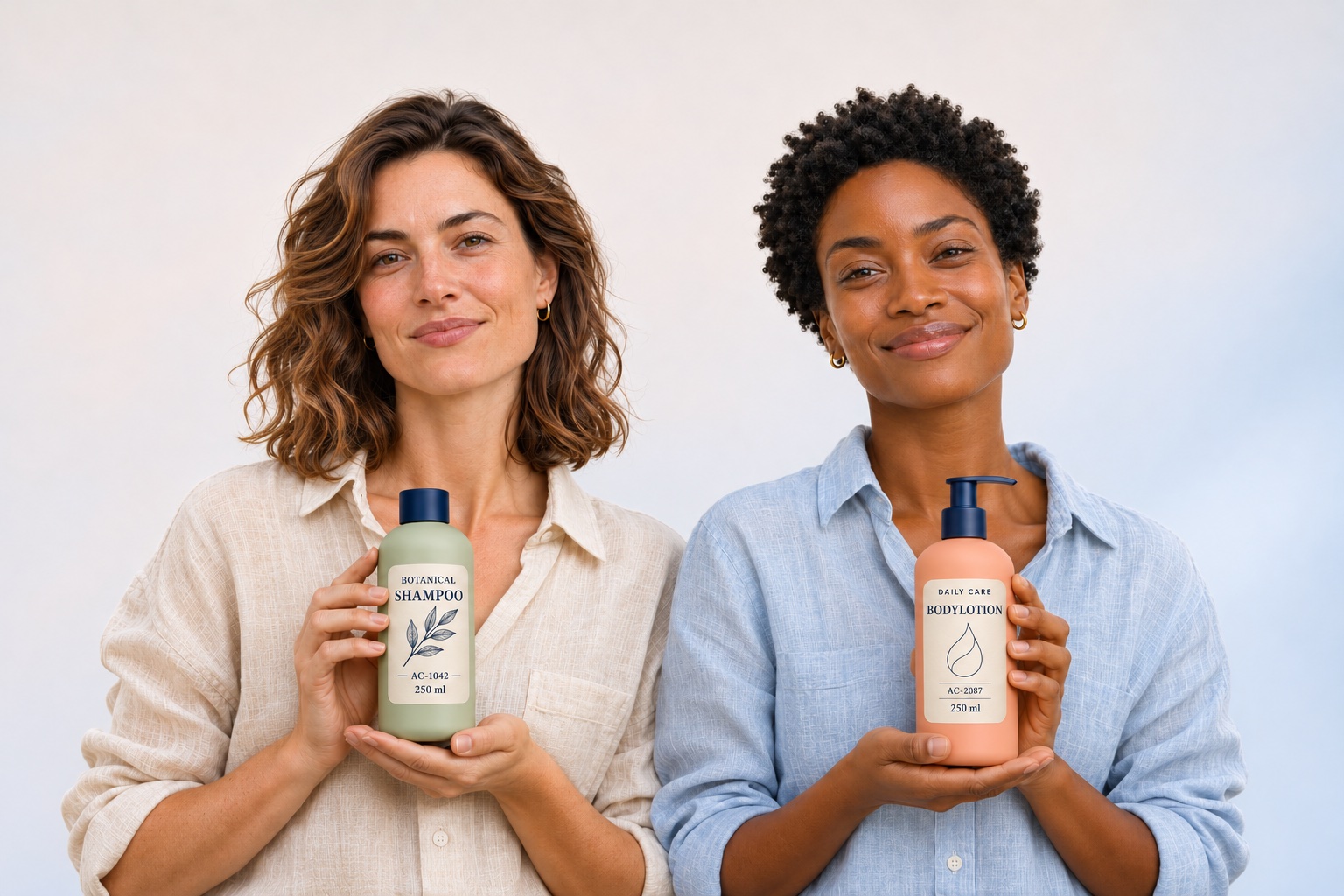
“Two people with personal care products against a light background”Example of a natural language search

You can also use an existing image or upload a reference image to search for similar images.

Explore search options

Prepare

Spend less time on data entry, more on your media.

  • 01
    Tagging

    Recognised image content provides tags that help your team find relevant media again.

  • 02
    Descriptions and alt text

    Create text suggestions and adapt them to the intended use.

  • 03
    Text recognition

    OCR makes recognised text in images and documents searchable.

  • 04
    Speech and subtitles

    Turn spoken content from video and audio into text for search and subtitles.

  • 05
    Translations

    Prepare titles, descriptions and other text for use in other languages.

Explore AI-assisted preparation

Models & model releases

Find familiar faces again – with the right model releases.

After a photo shoot, the images, the model and the agreed usage conditions belong together. Face recognition helps you find known people again.

Custom workflows link the recognised model to an existing licence template. Its details are saved to each image.

Manage model releases and usage rights
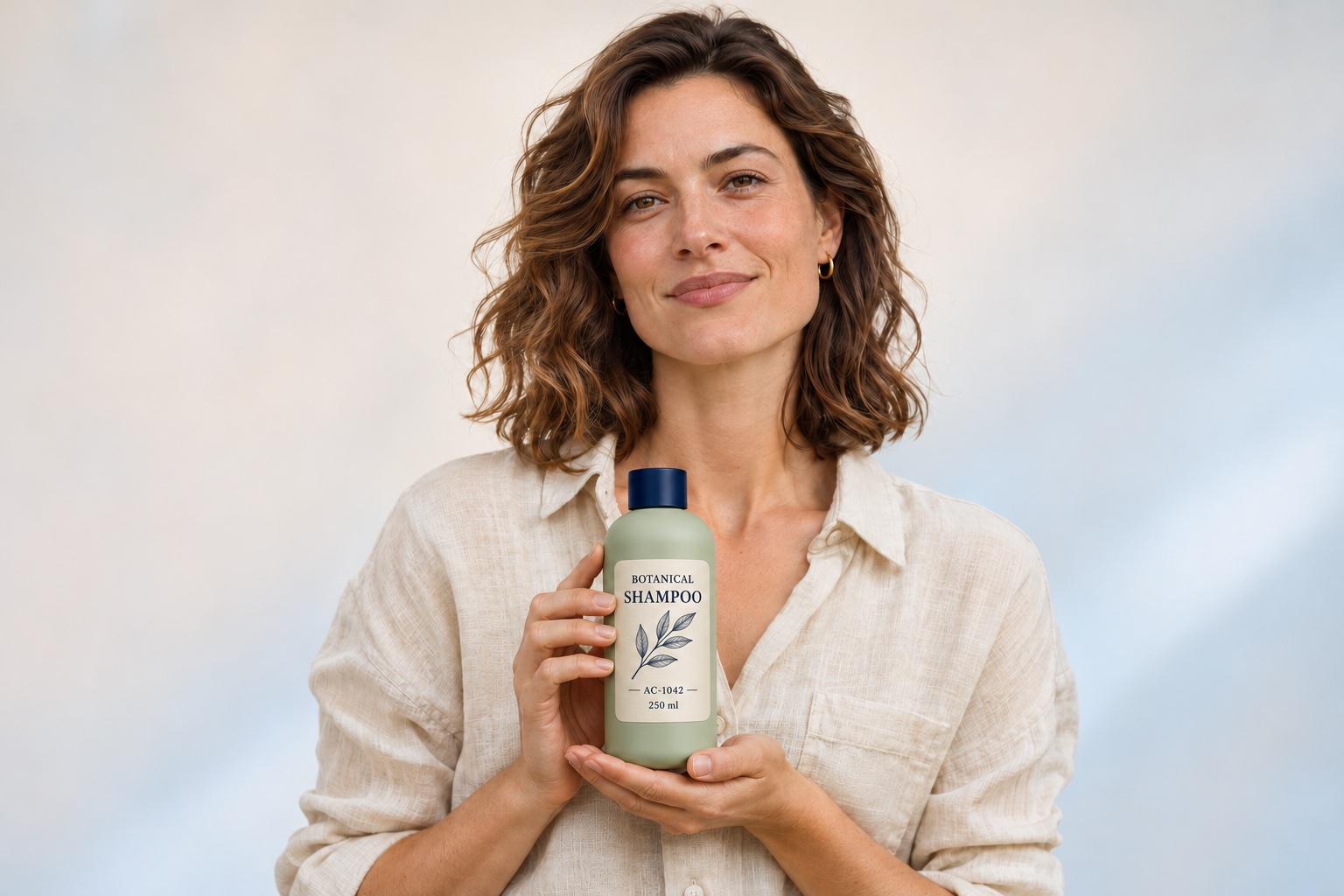
M1Lena Hartmann · SHOOTING_01.JPG
Fictional campaign photo: Lena Hartmann holding the sage-green Botanical Shampoo.
SHOOTING_01.JPGModel licence saved

Existing model release template

Lena Hartmann — Campaign until 31 Dec 2027

Expiry date
31 Dec 2027
Description
Website campaign

Model licence attached to image

Example data

Lena Hartmann

Assignment
M1 · SHOOTING_01.JPG
Expiry date
31 Dec 2027
Description
Website campaign
  1. 01Assign template
  2. 02Copy details
  3. 03Saved to image

The model, template and conditions remain available for review. Before using the image, check whether the saved conditions cover your intended use.

Products & catalogue data

Give your product images the product information they need.

EANs, item numbers and AI suggestions help match product photos to the right catalogue entry.

Once the product has been selected, the workflow adds the existing information to the image metadata. Item number, name and category do not need to be entered individually.

Connect product data and DAM
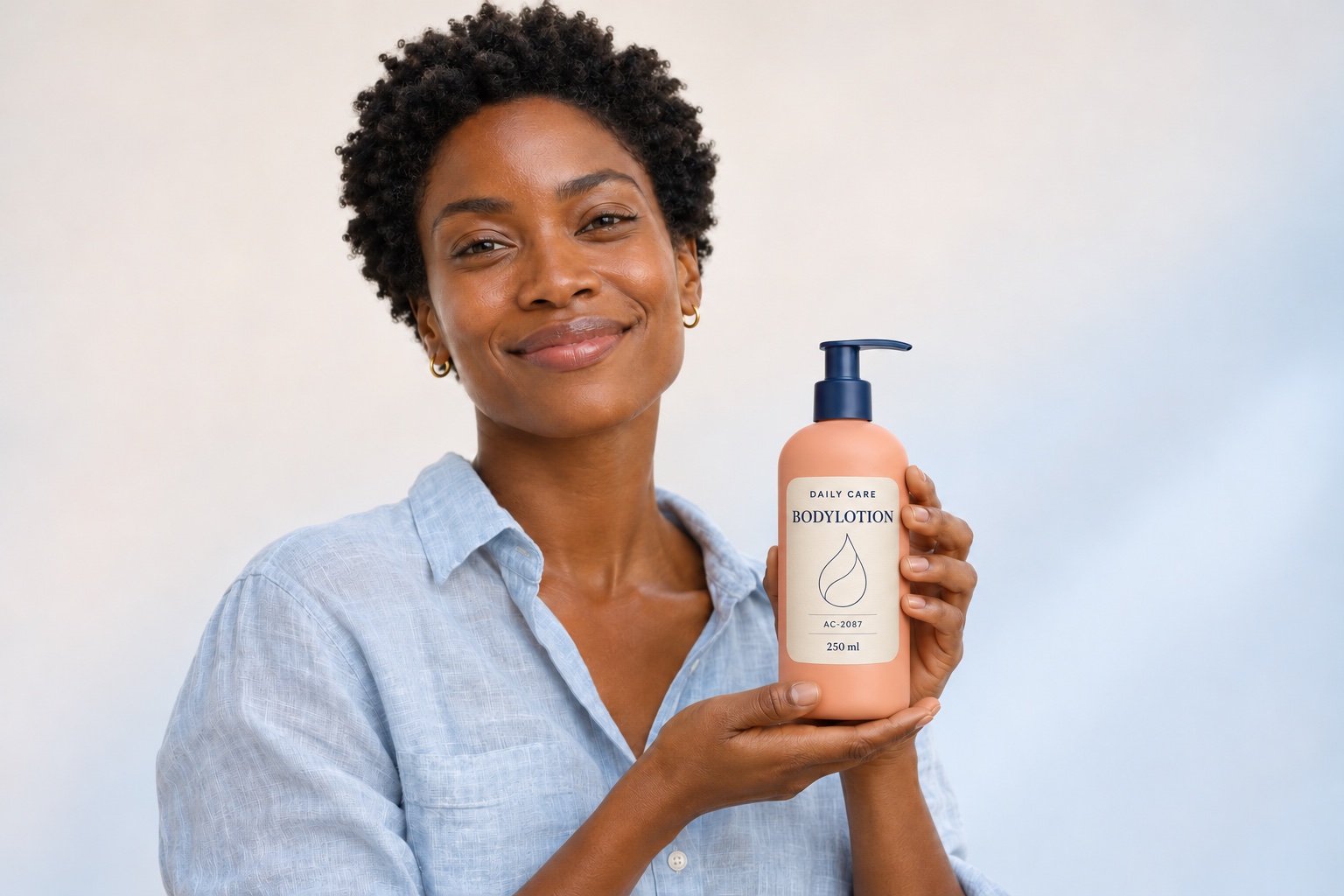
P2Daily Care Bodylotion · SHOOTING_02.JPG
Fictional campaign photo: Amira Sommer holding the peach-coloured Daily Care Bodylotion.
SHOOTING_02.JPGProduct data saved

Selected entry in the ERP catalogue

Daily Care Bodylotion

Item number
AC-2087
Category
Body care

Product data attached to image

Example data

Daily Care Bodylotion

Item number
AC-2087
Category
Body care
Data source
ERP catalogue
  1. 01Assign item
  2. 02Copy data
  3. 03Saved to image

The workflow shown uses a supplied ERP catalogue. For a direct PIM connection, the data source, interface and update process are agreed separately.

Video Caption

Preview
Delivery
00:00 / 00:27
Video unavailable · Still image
AdmiralCloud

AI caption

English · Original AI result

In this video, a man and a woman are seen in the back of a vehicle, likely a truck or SUV, during the daytime in a rural or suburban setting. The woman, wearing a red shirt, is smiling and holding a black tablet, while the man, dressed in a yellow t-shirt, is actively handling a black plastic crate filled with various items. A large cardboard box with a shipping label is prominently placed in the foreground, suggesting a delivery or logistics operation. The man appears focused on organizing the contents of the crate, which includes what looks like a red object and other supplies. The overall atmosphere is productive and cooperative as they work together to manage the cargo.

Design study with an authentic English AdmiralCloud AI caption supplied by the user and a German translation. The transfer is an explanatory animation; no data is saved.

Setup & control

Set up AI to fit the way you work.

  1. 01

    Choose the right tasks

    Which preparatory tasks should AI handle? Where does your team need to make a selection or carry out a review? The workflow follows the way you work with media.

  2. 02

    Connect existing information

    Licence templates provide the documented conditions. Product catalogues provide the item information. Sources and assignments remain traceable.

  3. 03

    Clarify services and data flows

    AI services differ in how they are activated, how they process data and how they are configured. Features, providers and custom connections are agreed for your use case.

Good to know

Frequently asked questions

Does face recognition automatically know a person’s name?

Names are assigned to people in the system. Face recognition then helps find known people in other images. In the model workflow described here, file names can also provide clues.

How are models and model releases linked?

The custom workflow links a known model to a suitable existing licence template and copies its details to the images. The model, template and conditions remain available for review. Obtaining new consent and checking the intended use remain separate tasks.

Where does the automatically added product information come from?

From the selected entry in your product catalogue. Recognition helps with matching; the item number, EAN, name, brand and category are copied from that record. The AI does not invent product master data.

Are all AI features and custom workflows included in every package?

The available scope depends on the agreed services and configuration. The appropriate AI services and a custom connection are agreed to suit your needs.

Which task would you like to spend less time on?

Finding the right images, linking a series of photos to model releases or matching product photos: bring us your task. Together, we will identify the features and setup that fit.

Book a live demo